
Home › Product › Payment processing
Payment processing
Get paid before you leave the driveway
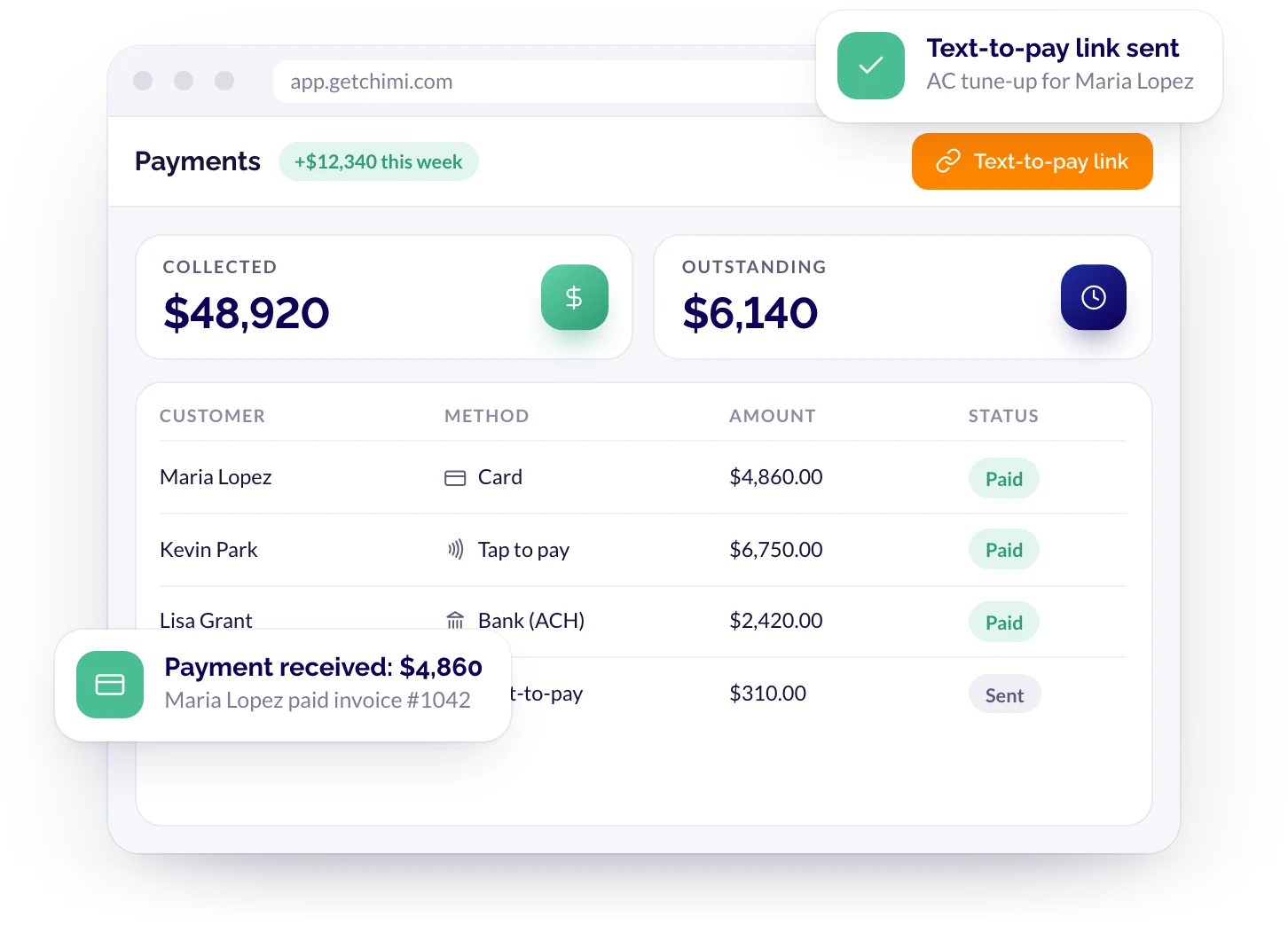
Take cards, bank transfers and text-to-pay links from one place. Send a link after the AC tune-up, tap a card at the door, and watch every payment land on the right customer.
Why owners use chimi for payment processing
More ways to get paid
Card, ACH bank transfer, payment link or text-to-pay. Give each homeowner the option that suits them and stop chasing checks for a week after the job.
Collect on site
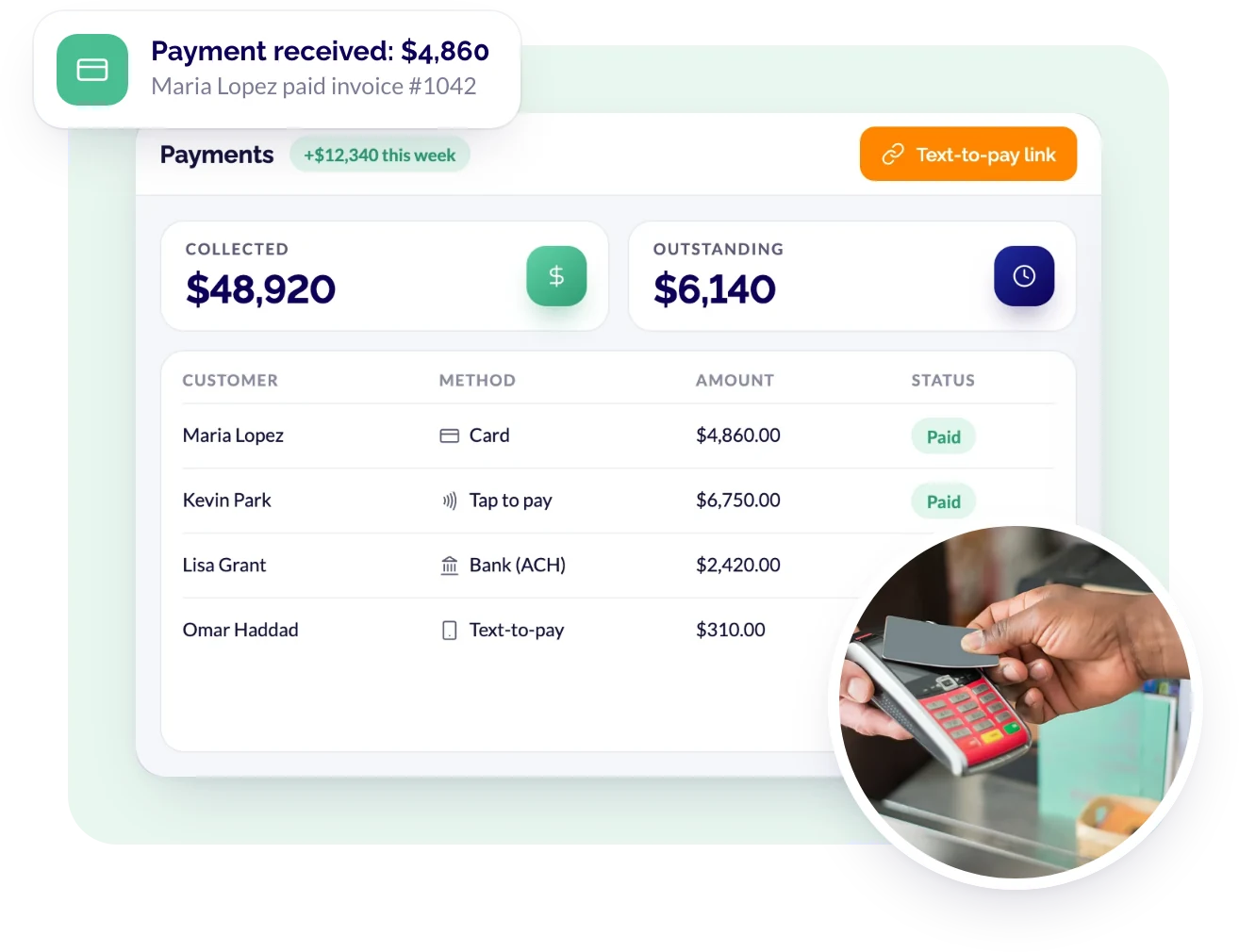
Open the mobile app and use Tap to Pay on a supported phone. Your tech collects for the drain clearing before packing up, with no card reader to carry.
Every payment on the record
Each payment lands on the customer's record. Look up any homeowner and see what they paid, when they paid and which method they used.
What's included
Card payments
ACH bank transfers
Text-to-pay links
Shareable payment links
Mobile Tap to Pay
Cards on file
Recurring subscriptions
Record cash and checks
How it works
We connect your processor
During onboarding the chimi team connects your payment processor, such as Stripe. Payouts go to your own bank account.
Add your services
Save the things you sell, like a water heater flush or a service call fee, so prices fill in fast.
Request the payment
Text a pay link from the conversation, email an invoice, or take a card in person with Tap to Pay.
Watch it land
The payment lands on the customer record. A thank-you text and a review request can go out automatically.
Text-to-pay
Send a payment link right from the text thread
Finish the AC tune-up, open the customer's conversation and send a secure checkout link by text. The homeowner pays by card or bank transfer on their phone, and the payment shows up in your records automatically.
- Pay links sent from the conversation thread
- Card or ACH bank payment with Stripe
- Add a due date to each request
Saved cards and subscriptions
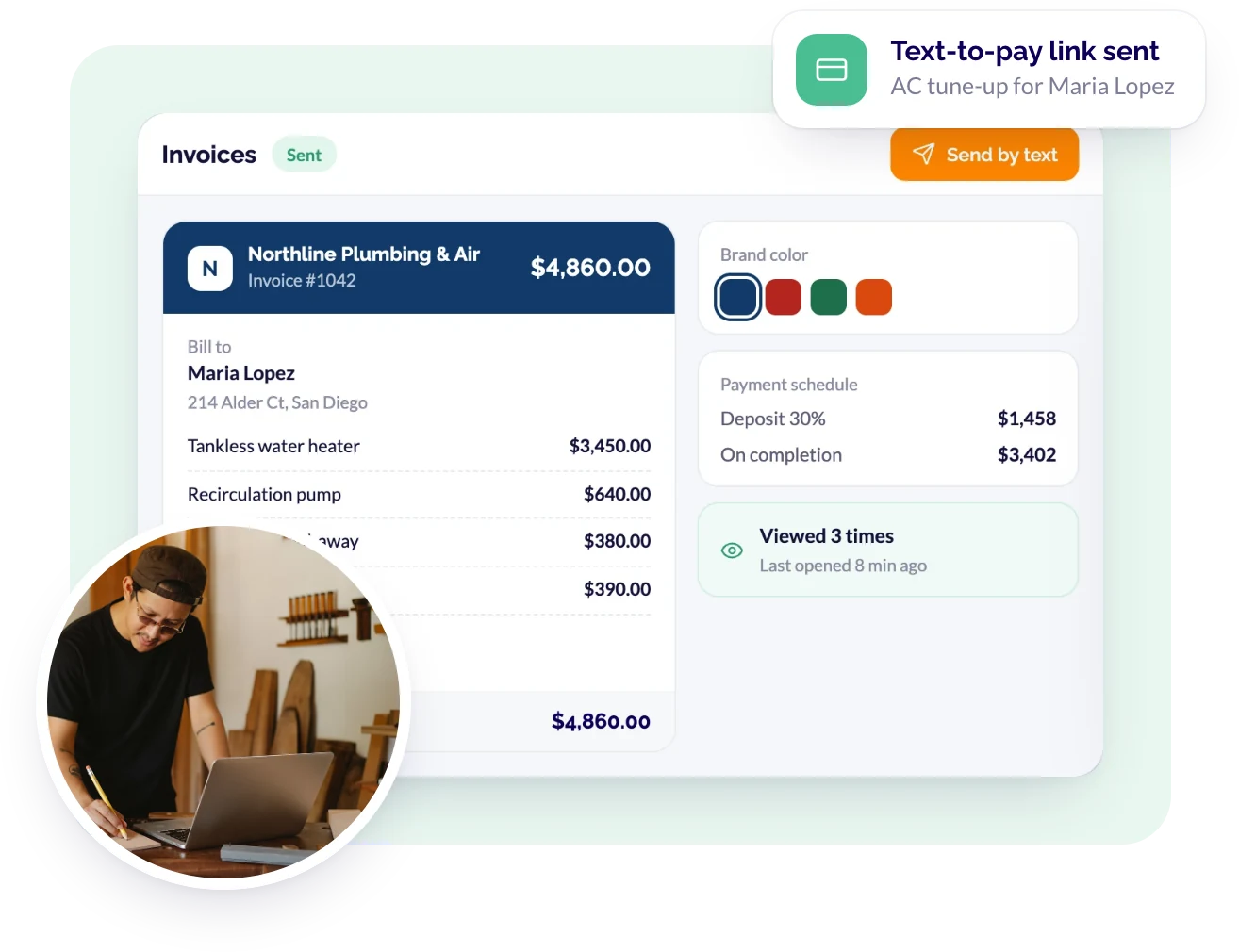
Bill maintenance plans without retyping a card
Save a card on file with the customer's permission and charge it when the next visit is done. For a monthly maintenance plan or a twice-a-year HVAC tune-up, set up recurring invoices or a subscription and let billing run on schedule.
- Cards on file, saved to the contact
- Recurring invoices with automatic payment
- Subscriptions for monthly maintenance plans
Works together with
Every channel in one inbox
One record for every job
Follow-ups that run themselves
Payment processing FAQ
Have a question we didn't cover? Ask us on a demo call.
Where does the money go?
Payments run through your own processor account, such as Stripe, which chimi connects during setup. Payouts go to your business bank account on your processor's schedule. chimi does not hold your funds.
Can customers pay by bank transfer?
Yes. With Stripe connected, invoices and text-to-pay links can accept ACH bank payments from US bank accounts. It works well for larger jobs like a roof replacement or a full repipe.
Can my techs take payment in the field?
Yes. Techs can text an invoice from the mobile app, or use Tap to Pay on a supported phone to take a contactless card at the door. Tap to Pay works with Stripe or Square, and we confirm your phones and processor during setup.
Can I issue a refund?
Yes. Open the payment in your transactions list and refund all or part of it. The money goes back through your processor to the customer's original payment method, and the customer's record shows the refund.
Can I still take cash and checks?
Yes. Record a cash or check payment against the invoice so the balance updates and the customer's history stays complete. Your office sees the same picture whether a homeowner paid online or handed your tech a check.
Stop chasing checks. Get paid on the job.
Talk to the chimi team. We connect your processor, add your services and train your crew to collect on the job.

The all-in-one CRM for the trades. Solutions for your business to thrive, since 2015.