
Home › Product › Analytics dashboard
Analytics dashboard
Know what brings in the work.
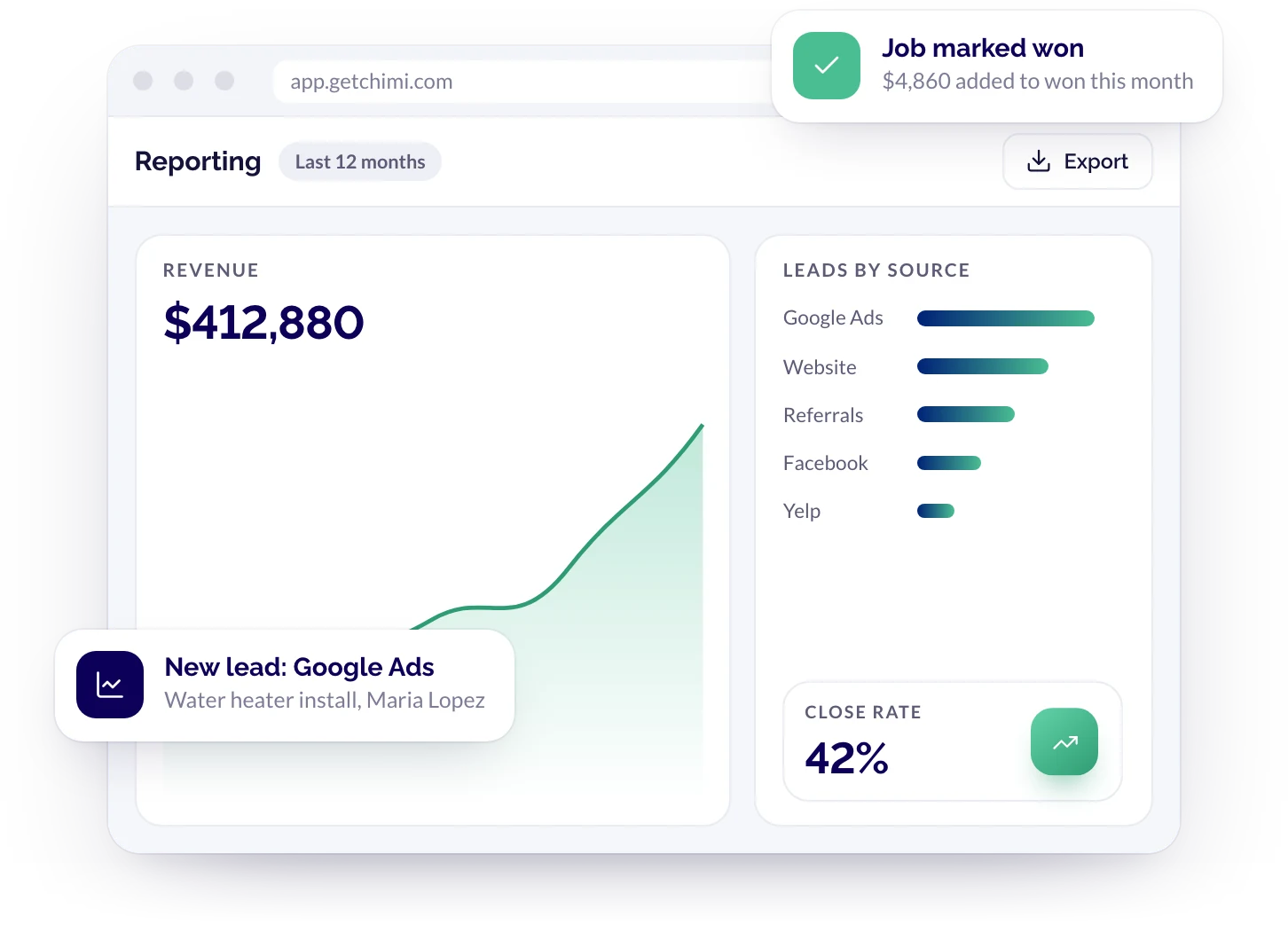
See leads by source, calls answered and missed, appointments booked and the dollar value in your pipeline. Spend on the ads, listings and truck wraps that bring in work, and cut the rest.
Why owners use chimi for analytics dashboard
Spend where it works
Attribution shows which source brought each lead in, from Google and Facebook ads to your website forms, so you stop paying for clicks that never book.
Catch missed calls
Call reporting shows answered and missed calls for each number over any date range, so you can see when calls go unanswered.
Know your pipeline value
See how many estimates are open, how much they are worth and what you won this month, without asking the office to build a spreadsheet.
What's included
Custom dashboards
Lead source attribution
Call reporting
Appointment reports
Ad reporting
Pipeline value widgets
Role-based dashboard access
Scheduled email reports
How it works
We help connect your sources
During setup, the chimi team sets up your number and pipeline and helps you link forms, calendars and ad accounts.
Pick your widgets
Add charts for leads, calls, appointments, open estimates and won jobs. Filter by date range, source or team member.
Give each role a view
Owners see revenue. Office staff see calls and bookings. Techs can be limited to the jobs assigned to them.
Get reports by email
Schedule a report to land in your inbox every Monday, or export it as a PDF for your partner or accountant.
Lead source attribution
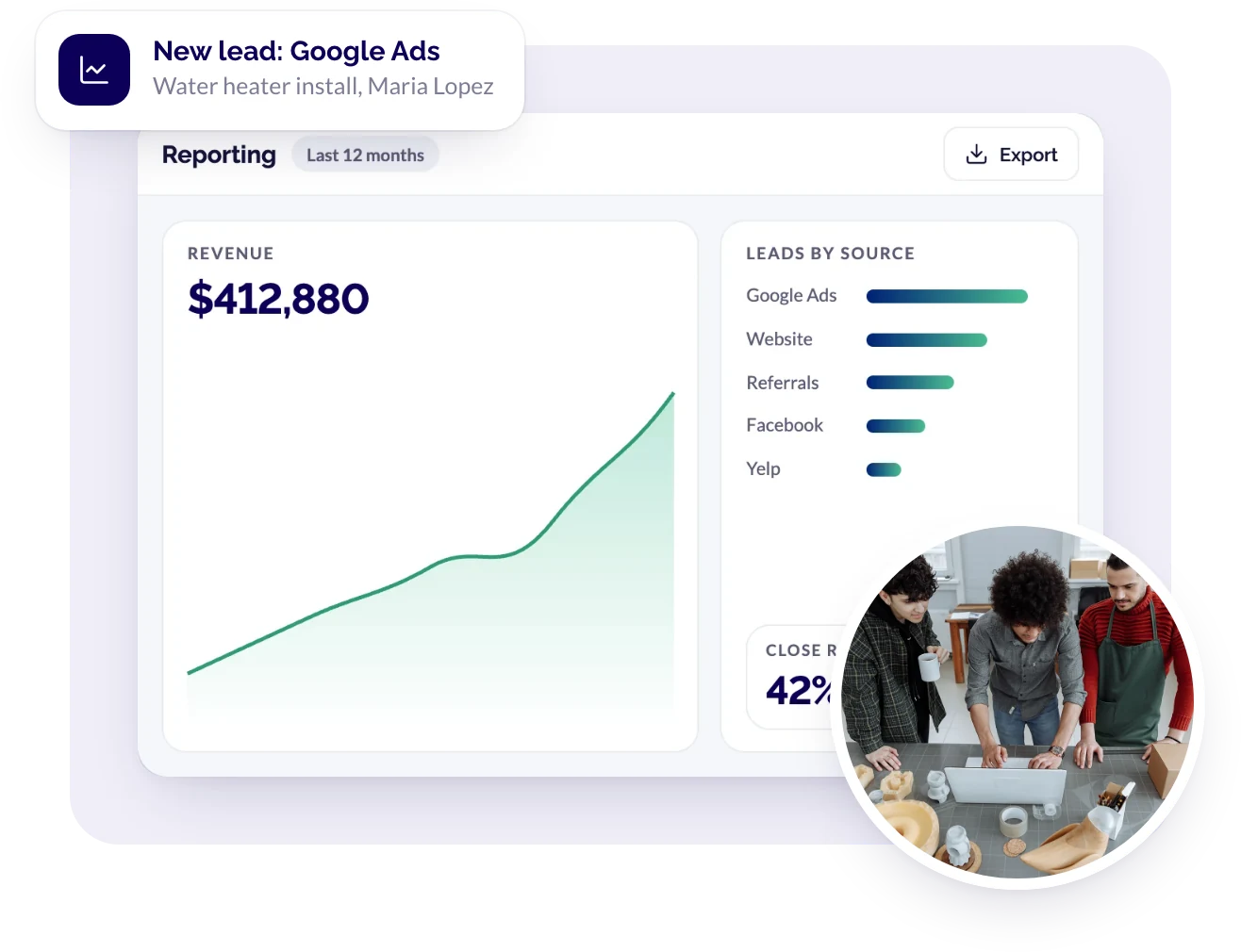
Find out which ads and forms bring in real jobs.
Each web lead keeps its first and latest source, including UTM tags from your ads and website. Compare Google Ads, Facebook, organic search and referrals side by side, then follow those leads through to booked appointments and won jobs.
- First and latest source on each contact
- UTM values as filters and columns
- Google Ads and Facebook ad reporting
Calls and appointments
Count the calls you answered and the ones you missed.
Call reporting shows total, answered and missed calls by tracking number, so the number on your truck wrap and the one on your website each get credit. Appointment reports show booked, showed, no-show and canceled visits for every calendar.
- Separate tracking numbers for each source
- Answered, missed and total call counts
- Booked, showed and no-show appointments
Works together with
Branded, sent by text or email
Signed on any phone
Card, bank, tap and text-to-pay
Analytics dashboard FAQ
Have a question we didn't cover? Ask us on a demo call.
What can I see on the dashboard?
Leads by source, calls answered and missed, appointments booked and kept, and open and won jobs with their dollar value. You choose the widgets and can build separate dashboards for the owner, the office and the sales team.
Can I see which marketing brings in jobs?
Yes. Leads from your website forms, booking calendar and tracked ad links carry their source. Follow them through your pipeline to see which sources turn into booked appointments and won jobs, not just clicks.
Can my techs see the numbers?
Only what you allow. Dashboards can be private or shared by role, with view or edit access. You can hide dollar amounts and limit a user to the contacts and jobs assigned to them.
Can I get reports without logging in?
Yes. Build a custom report and schedule it to email you, your partner or your bookkeeper on a set day. Recipients do not need a login. You can also export a report as a PDF.
Do I need to set this up myself?
No. During onboarding the chimi team sets up your phone number and pipeline, helps you connect your forms, calendars and ad accounts, and walks you through the dashboard in training. You can add or change widgets any time after.
Stop guessing where your jobs come from.
Book a demo and we will walk you through a sample dashboard for a business like yours, with leads, calls and pipeline in one view.

The all-in-one CRM for the trades. Solutions for your business to thrive, since 2015.